Design screenshot sets
Start from real device frames, tune the composition, and keep each screen in the same project.
Create polished App Store screenshots, organize every launch, and bring teammates into the same browser workspace.
npx framedeck
npx skills add DjDeveloperr/FrameDeck --global --skill framedeck --full-depth --yes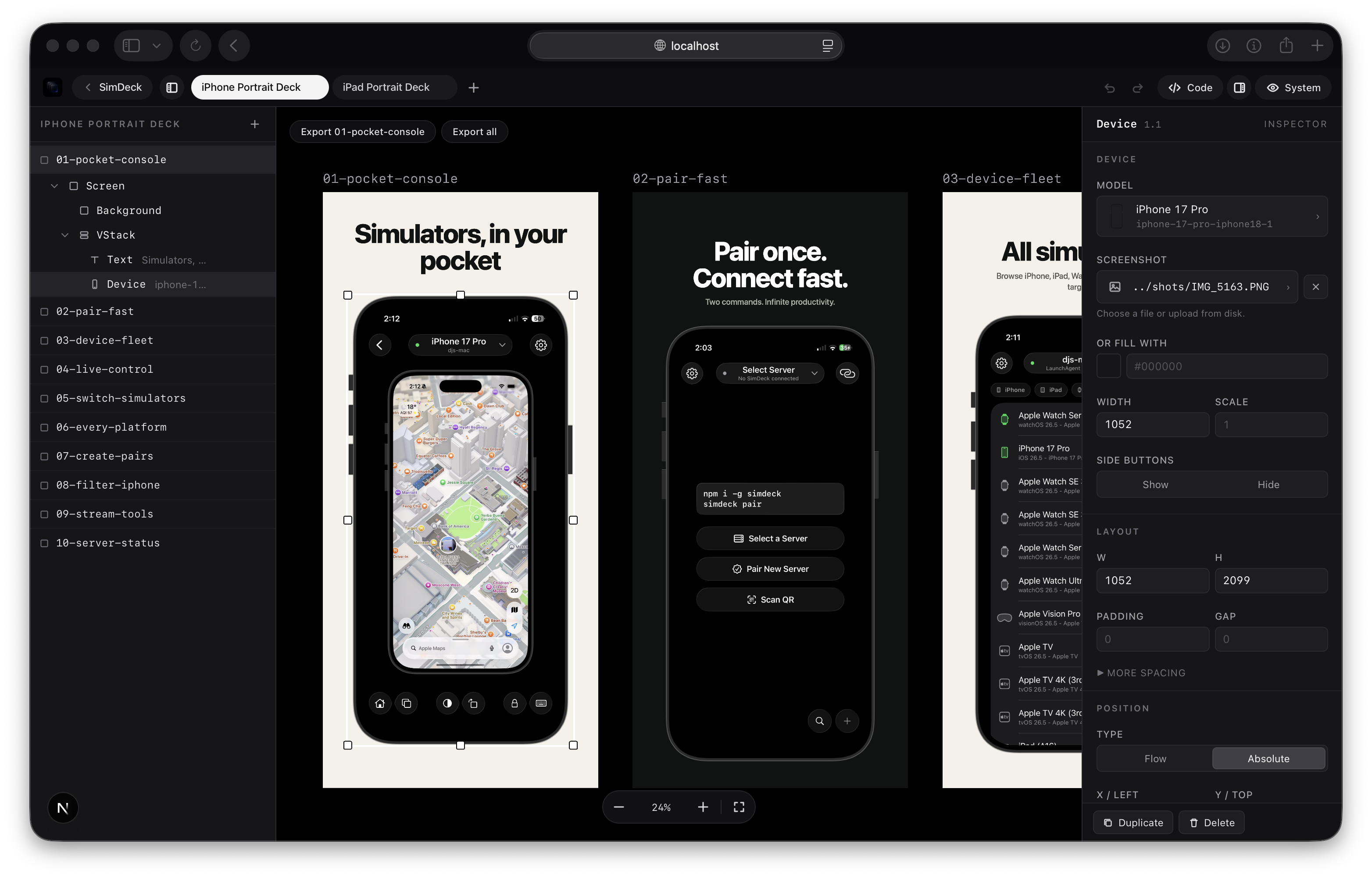
Start from real device frames, tune the composition, and keep each screen in the same project.
Invite collaborators, review changes in the browser, and keep launch assets out of long message threads.
Publish polished screenshots for app updates, launch pages, press kits, and store listings.
FrameDeck gives screenshot-heavy launches a home: one project, one shared canvas, one place to finish the set.
Updated hero copy
Exported 6.7 inch set
Left review notes
Give designers, founders, marketers, or clients a managed workspace instead of passing files around.
Use the open-source editor locally, or keep projects, teams, billing, and exports online with FrameDeck Cloud.
For ongoing app updates and team screenshot work.
One account, one payment, managed FrameDeck access.